Online invitations and a character celebration space

Add a celebration space where guests gather as characters.

Share the date and place, and gather your guests’ wishes in one space. Guests can submit an RSVP, character and message without installing an app or creating an account.

Free to create · Display up to 10 characters in the public space

Hosts sign in with Google · Guests join without an account

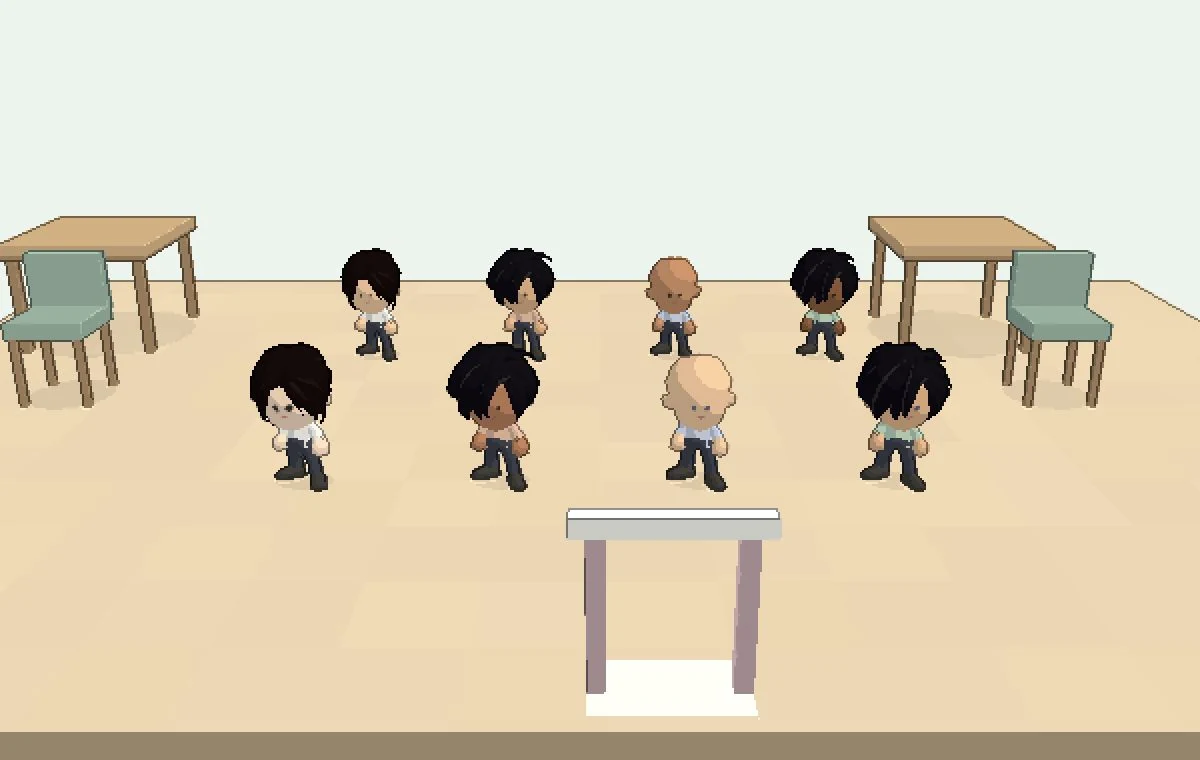
Still image of the actual modagi product showing eight fictional guest characters gathered beside a table in the celebration space

Actual product screen · Fictional guests

A still image of the actual product with fictional guests. In a real invitation, guests can tap a character to read its message.

Keep the celebration in one place

After an invitation goes out, details and well wishes can stay scattered across chats. See the characters and messages your guests submit through your modagi link together.

From event details to a space for celebrating

Date and place on one page

Put the essentials in your invitation link so guests can find them again.

Guests join without an account

They open the link, choose whether they’ll attend, then submit a character, name and message.

Characters and wishes together

Browse the characters and messages gathered in the space and celebrate before the day.

Create my invitation

Hosts sign in with Google · Guests join without an account

How could you use it for your occasion?

Weddings, family celebrations, parties and small gatherings. Bring the invitation details and well wishes together for your occasion.

Weddings & family celebrations

Add a space for wedding wishes

Share a modagi link alongside the wedding invitation you already have to gather guest characters and messages. For family celebrations, share the date, place and wishes together.

  • Date and venue on one page
  • Messages for the couple
  • Characters and wishes gather before the wedding

Parties

Birthdays, housewarmings, year-end nights

Set the mood before your party with characters and messages from friends. You can also check their basic RSVPs.

  • Basic RSVPs and celebration messages
  • Browse characters and messages from friends
  • Join by link, no app or account needed

Gatherings & event organizers

Keep event details and basic responses together

Share the date and place for a book club, reunion or team gathering, and collect basic RSVPs, names and messages. Review submitted information in your organizer dashboard.

  • Collect basic RSVPs, names and messages
  • Review submitted details and messages
  • Add atmosphere with guest characters

Hosts prepare. Guests join through a link.

Create your invitation

Sign in with Google, then add the event name, date and place to prepare your invitation.

Share one link

Share your published invitation link by text, chat or email. Guests can open it in their browser.

See responses and well wishes

Once guests submit their response and wishes, you can review their details and characters together.

Questions, answered

Do hosts or guests need an account?

Hosts sign in with Google to create invitations. Guests can open the link and submit an RSVP, character, name and message without installing an app or creating an account.

Is it really free?

Creating an invitation is free, and the free plan displays up to 10 characters in the public space. This is a character display limit, not the attendance capacity of your event. To display more characters, pay once for that event. There is no subscription.

Who can see my invitation?

Invitation pages have a search-engine exclusion setting. Anyone who receives the link can view them. This setting does not prevent resharing or verify that a viewer was invited.

Create a space for invitations and celebration

Create your invitation free

Hosts sign in with Google · Guests join without an account

Display up to 10 characters free · Pay once per event to display more (from $6) See pricing